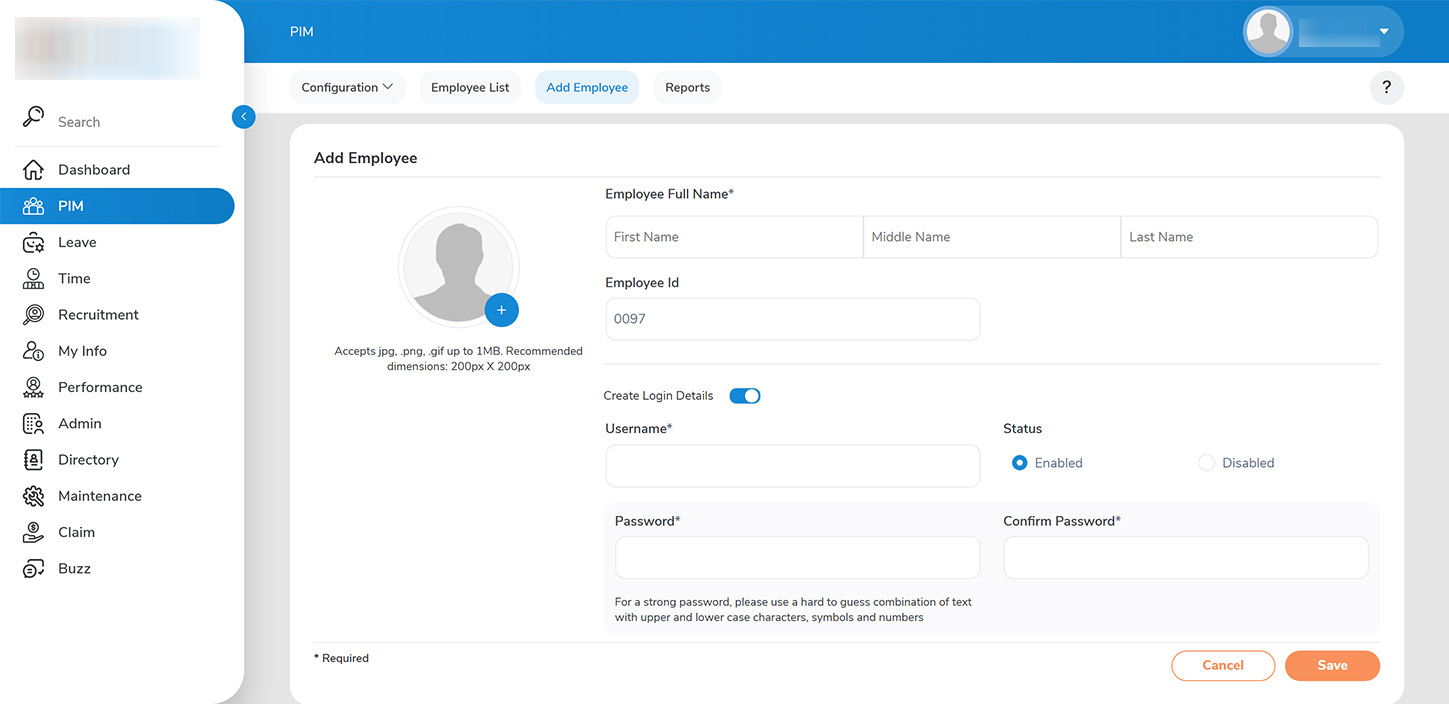
To add an employee profile, the admin should navigate to PIM > ADD EMPLOYEE.
Required fields, such as the employee’s first name and last name, must be filled out. An employee profile can be classified as one of two types:
1. >>With Login Credentials>>: These employees will have a username and password assigned to them, allowing them to log in to the platform. They can manage their leave, expense claims, performance, and profile information. The admin has the ability to control who has access to the platform by enabling or disabling login credentials.
2. >>Without Login Credentials>>: These employees will not have access to the platform, and their profiles are maintained solely for record-keeping by the admin. This option is suitable for cases such as contractors who do not require login access.
Please ensure that all employee details are accurately entered into the designated form.
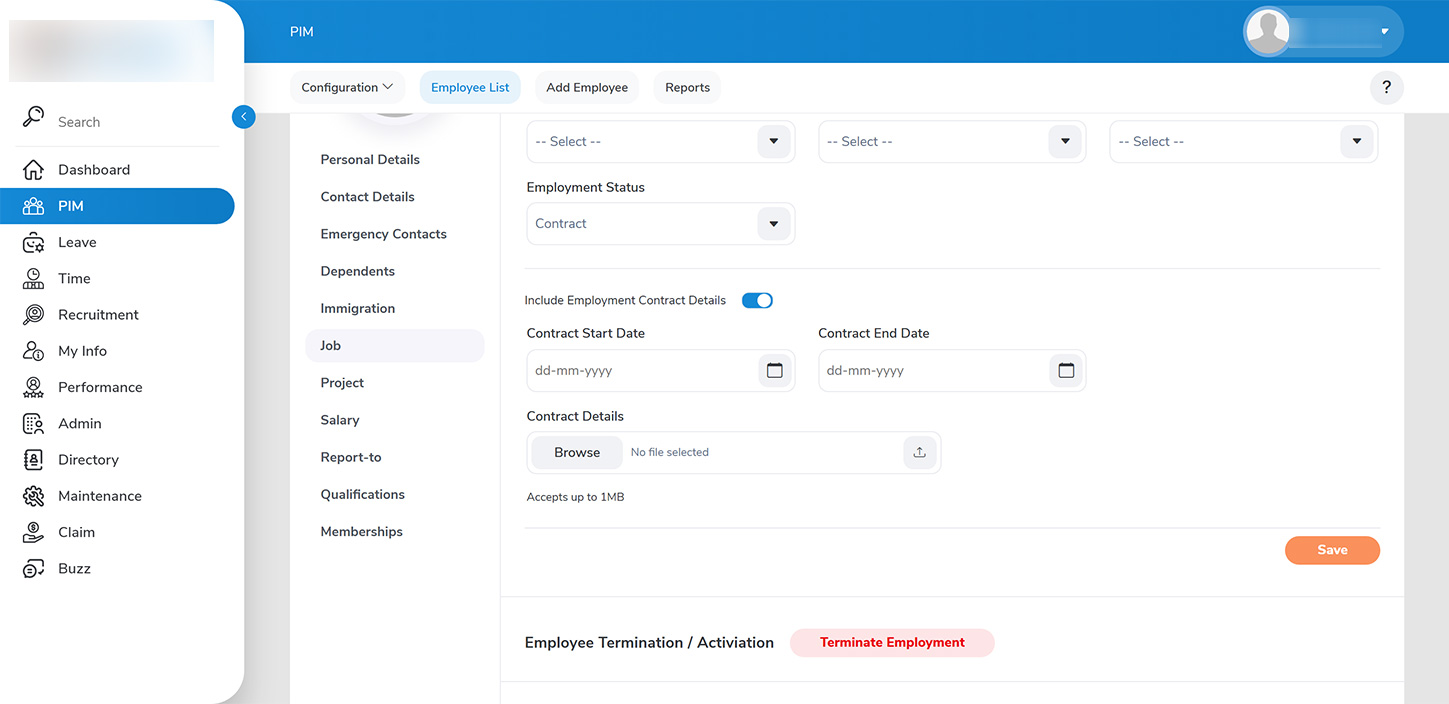
1.1 The Administrator has the capability to manage employee status within the job details section.
1.1.1 This includes the ability to classify employment status, specifying whether an employee is full-time, part-time, or contracted. The Administrator can also oversee employee contracts by activating the relevant toggle. Please enter the contract’s startand end dates, and ensure to upload the contract document as required.