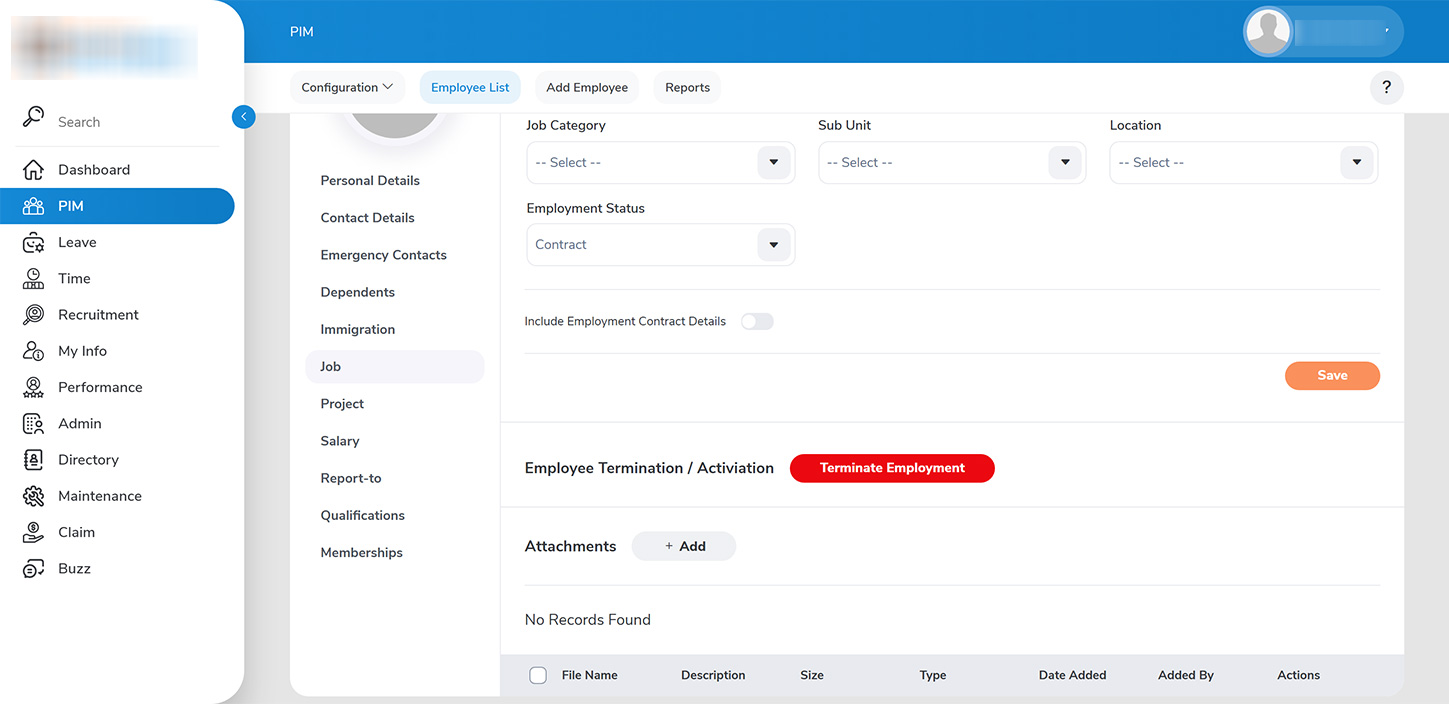
To terminate an employee’s contract, proceed to the `PIM > Employee List` section. You may search for the employee’s details using either their name or employee ID.
To initiate the termination process:
1. Access the employee’s record and navigate to the job details section. 2. Click on >>Terminate Employment>>.
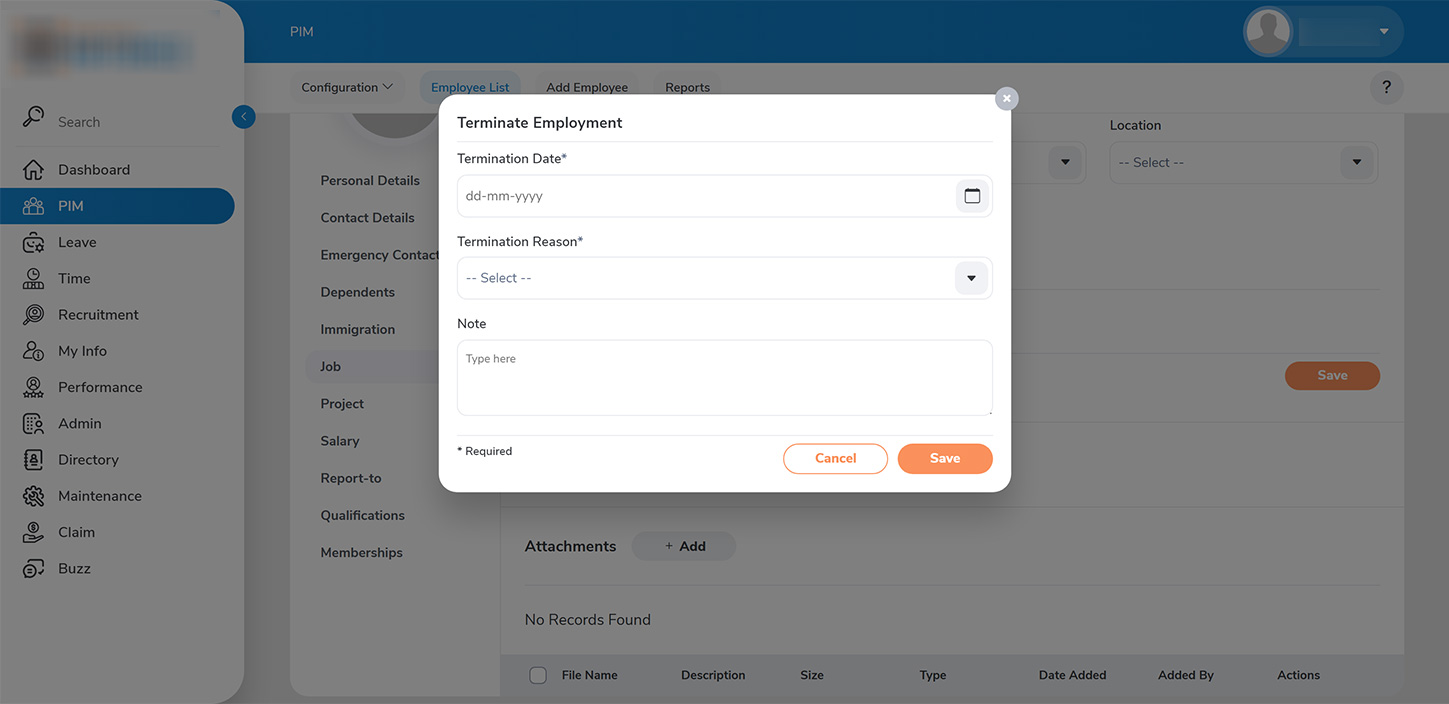
3. Input the termination details, which include the effective date of termination and the reason for the termination. 4. If necessary, include any additional notes and then click >>Save>> to finalize the termination process. The terminated employee’s details will subsequently be accessible under Past Records after the termination date.