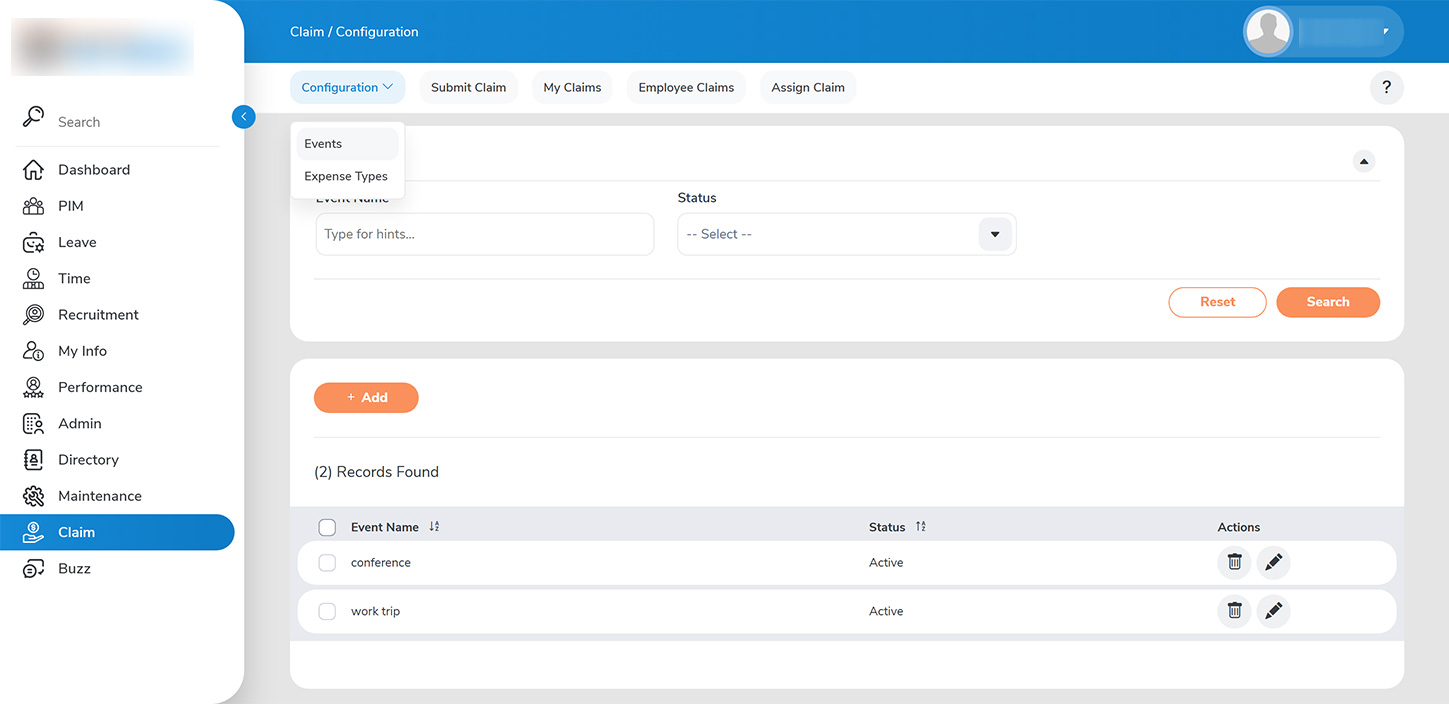
As an administrator, you are also empowered to configure all relevant event types for which employees can submit expense claim requests. Access this feature by selecting >>CLIAM > CONFIGURE > EVENT TYPE>>.
To create a new event type:>>
1. Click on the >>ADD>> button.
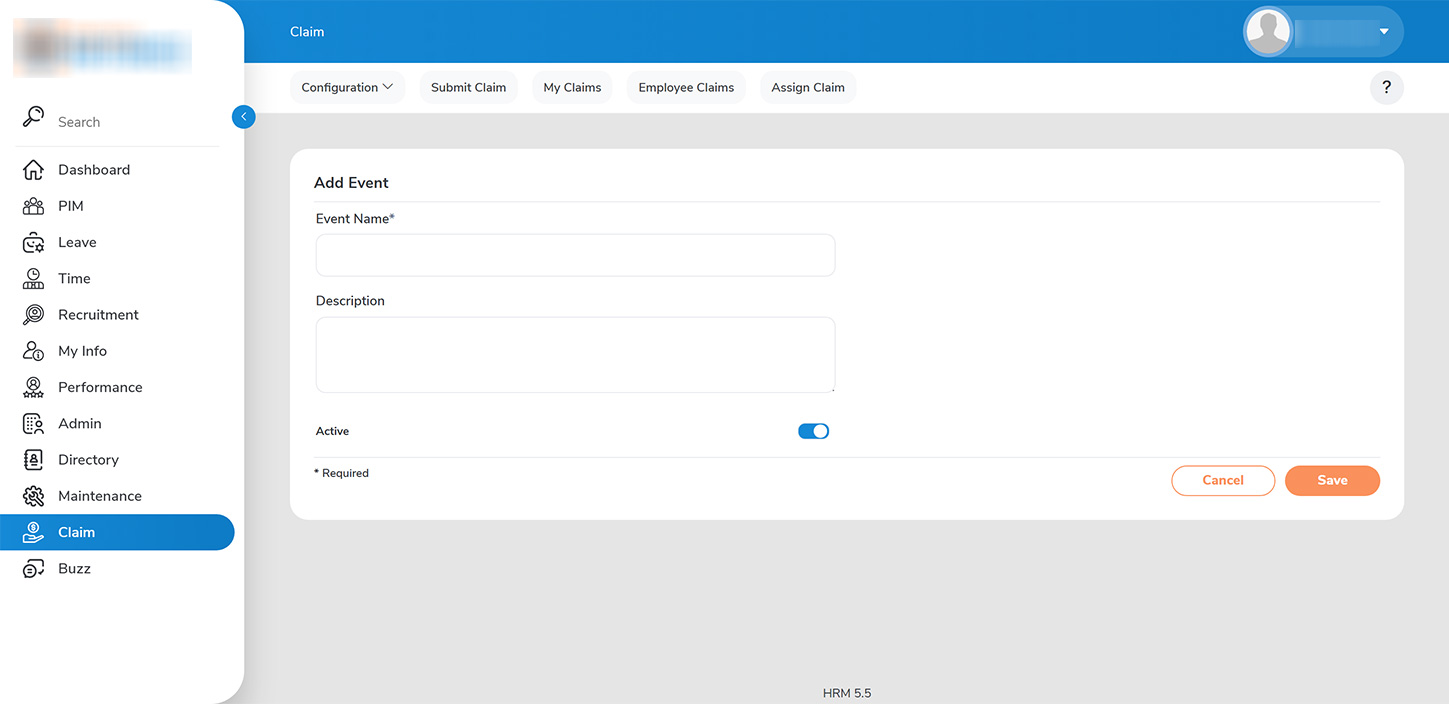
2. On the >>EVENT>> page, enter the name of the event type. If you decide that this event type will no longer be supported by the company, you can deactivate it as needed.
3. Click >>SAVE>> to successfully add the new event type.