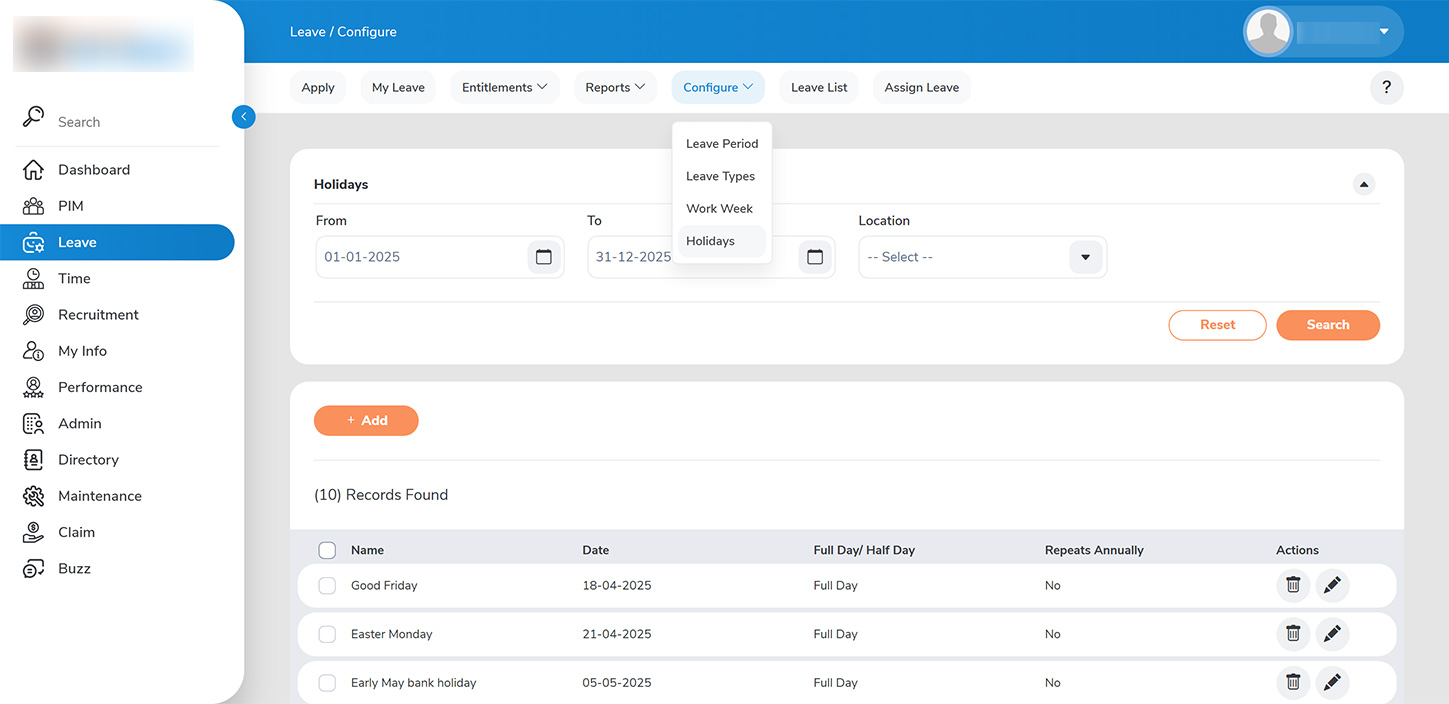
Admin can configure holiday list from LEAVE > CONFIGURE>HOLIDAYS
To add a holiday from the “ADD HOLIDAYS” page, please fill in the required details:
1. >>Holiday Information>>: Enter the name of the holiday, the date, and specify whether it is a half-day or full-day holiday. 2. >>Location>>: Select the relevant office location if the holiday applies only to a specific site (e.g., India office or UK office). 3. >>Annual Repeats>>: If the holiday recurs annually, keep the option enabled to ensure that it is added to subsequent leave periods.
Once you have completed these details, click on “SAVE” to add the holiday to the list.
Please note that holidays are configured at the organizational level, and multiple entries for the same date across different locations are not permitted.