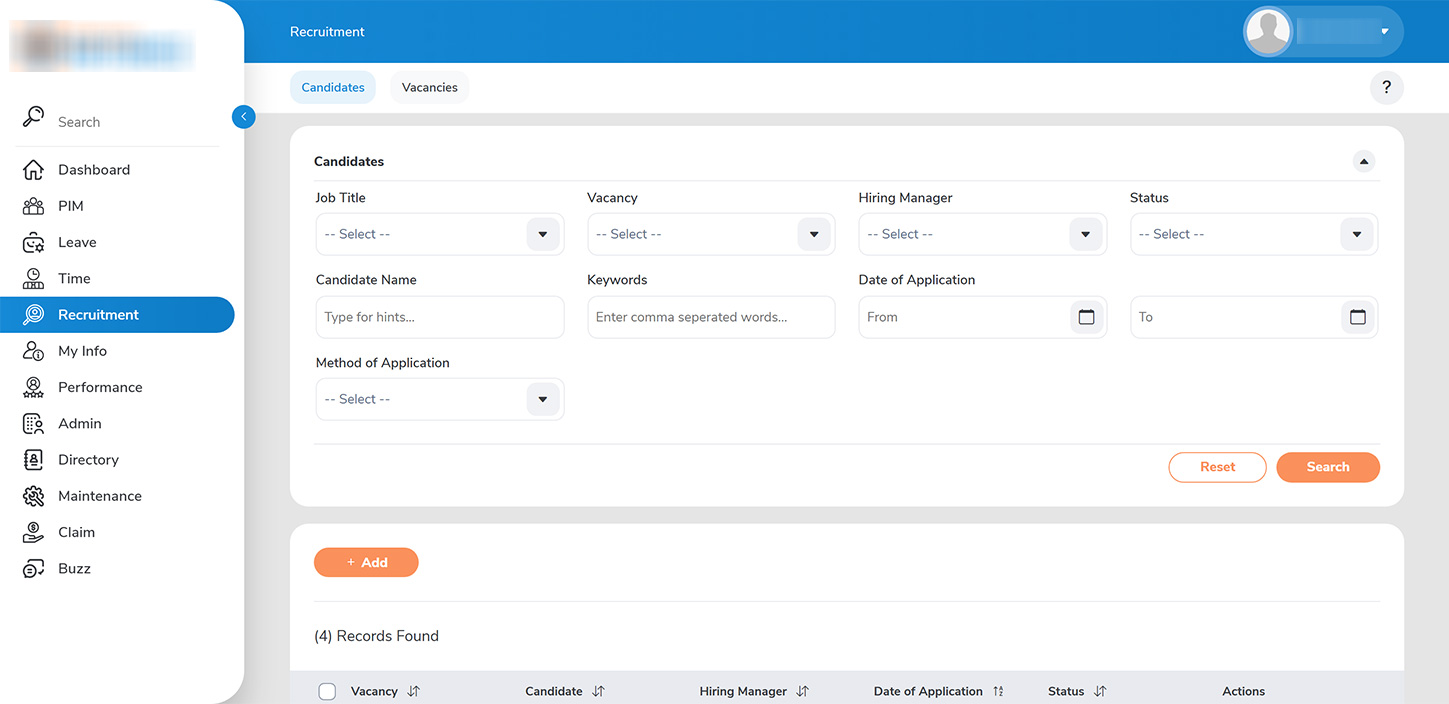
1. >>Candidate Management>>: Hiring Managers can efficiently manage candidates through the RECRUITMENT > CANDIDATES tab. Candidates can be filtered based on job title/vacancy, the individual to whom the vacancy is assigned, or the candidate’s status.
2. >>Reviewing Applications>>: To review candidate application details, click on the VIEW button. After reviewing, proceed by clicking the SHORTLIST button to advance selected candidates.
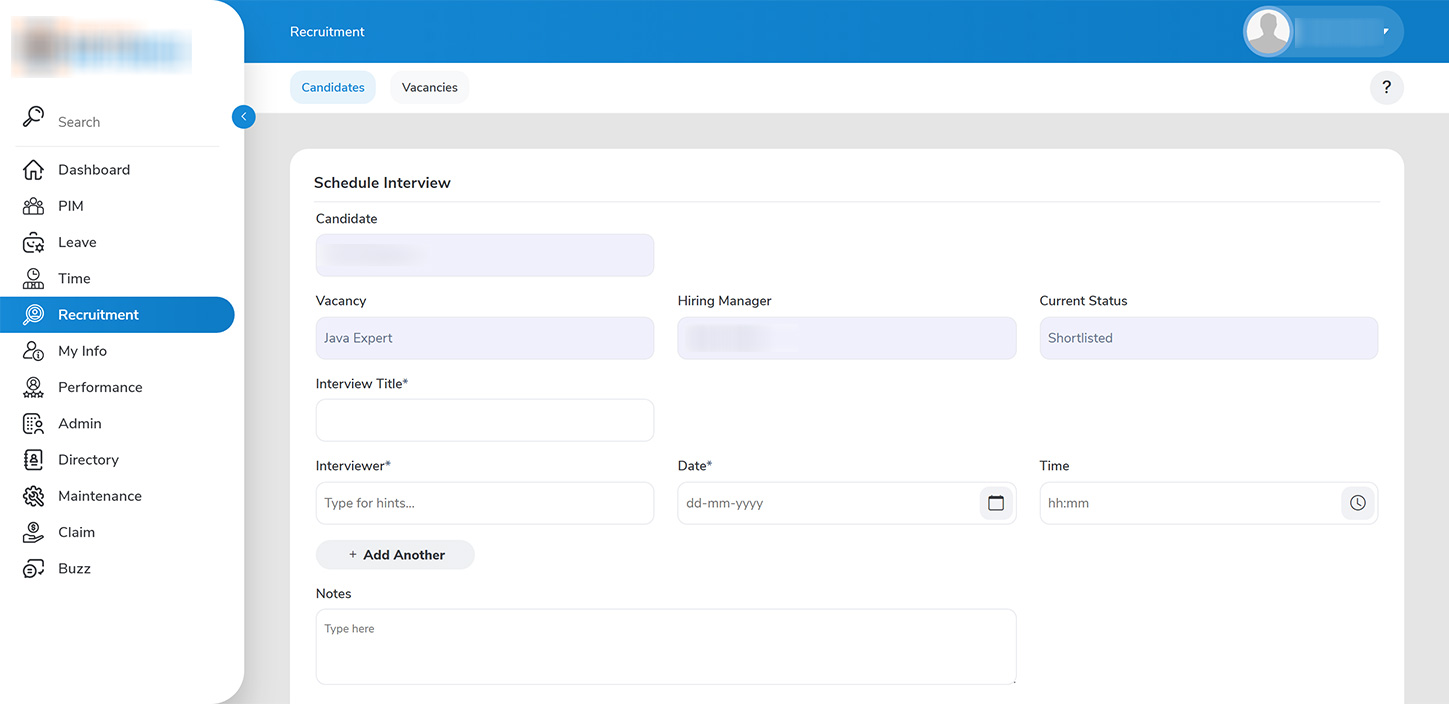
3. >>Interview Scheduling>>: You have the capability to add multiple interviewers, along with the date and time for each interview. Interviewers will be notified of their scheduled interviews under the Pending tab.
4. >>Interview Evaluation>>: Interviewers can evaluate candidates by marking them as Passed or Failed. This can be done by navigating to RECRUITMENT > CANDIDATE > VIEW DETAILS >> MARK INTERVIEW PASSED
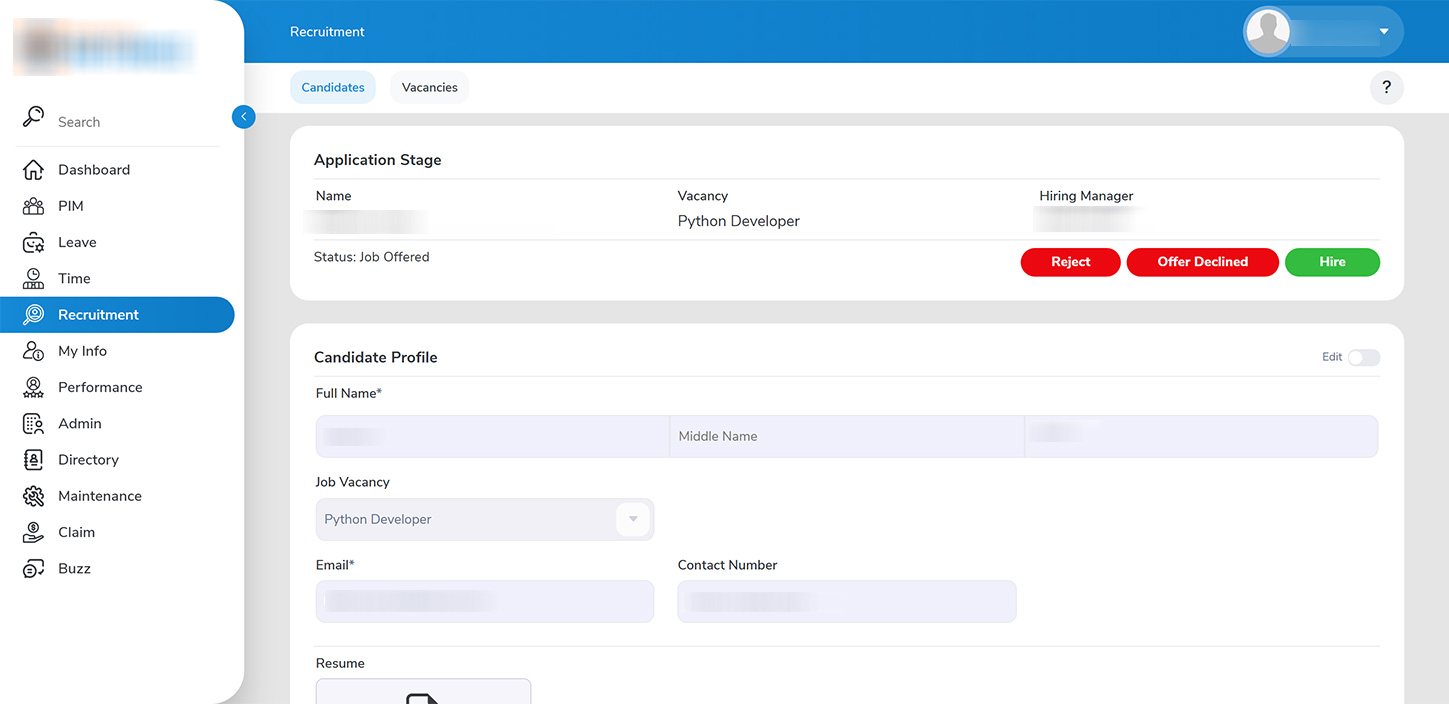
5. >>Customizing the Hiring Workflow>>: Hiring Managers have the flexibility to customize the hiring workflow for each candidate by adding multiple interviews as needed. Once satisfied with the evaluation process, the hiring manager can extend a job offer to the candidate.
6. >>Onboarding Process>>: After the candidate accepts the job offer, the Hiring Manager can facilitate the onboarding process by clicking the HIRE button. This will create a candidate entry under PIM > EMPLOYEE LIST.